Loading...


How it works
From unpaid invoice to money in the bank — in four steps.
Connect your invoices once. The system sends tactful reminders with a payment link in every message — automatically, on your schedule, without a single phone call from you.
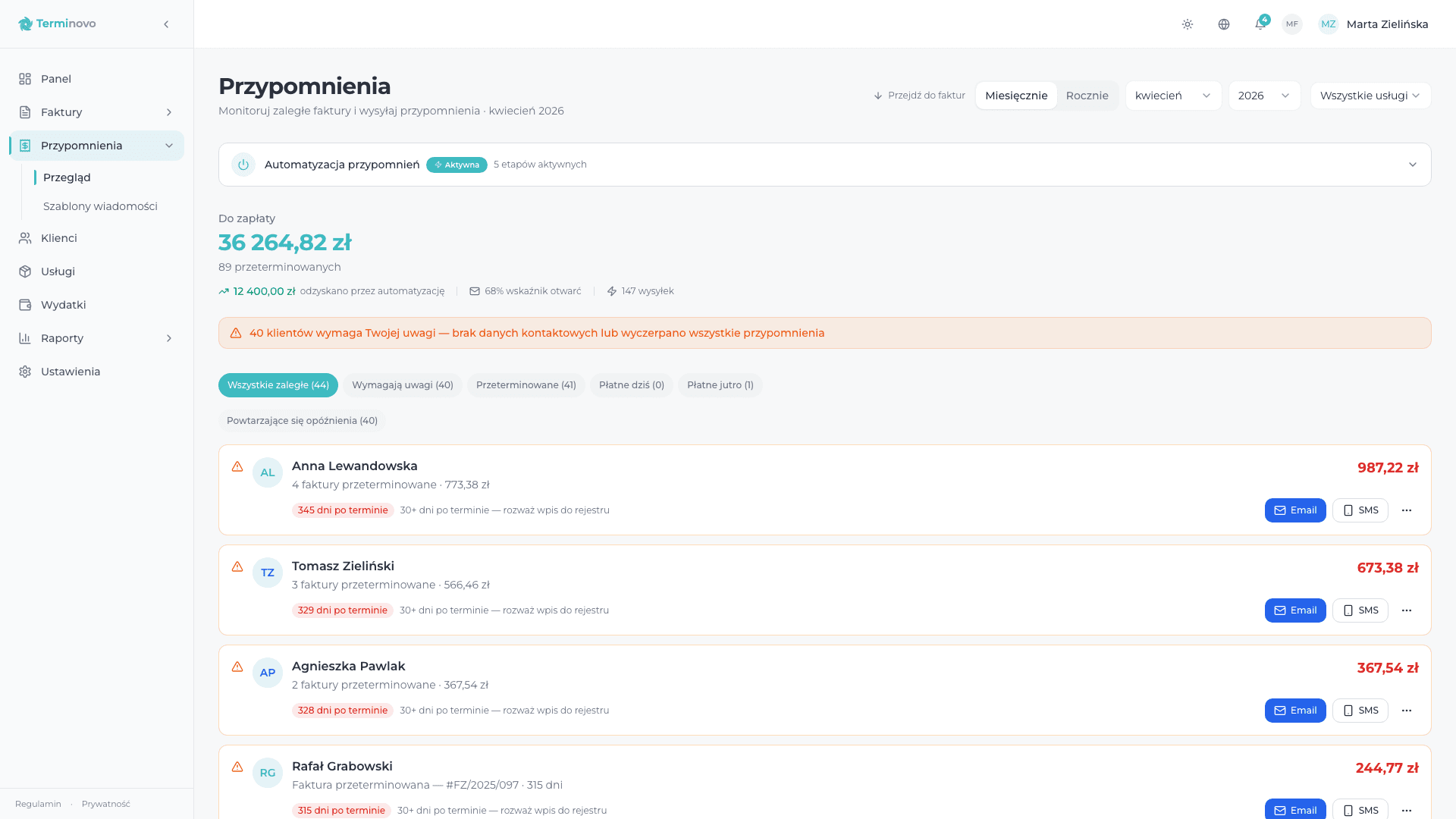
Step 1 · takes 3 minutes
Connect your invoices — once
Issue invoices directly in Terminovo or import your existing KSeF invoices. You can also upload a CSV or Excel file. Every open invoice is tracked from that point — no manual monitoring required.
- Built-in invoicing — KSeF-compliant invoices, clients and recovery in one place.
- Import from KSeF or a file — Sync from the KSeF platform or upload CSV/Excel.
- Automatic sync — New invoices appear and statuses update in real time.
Step 2 · fully automatic
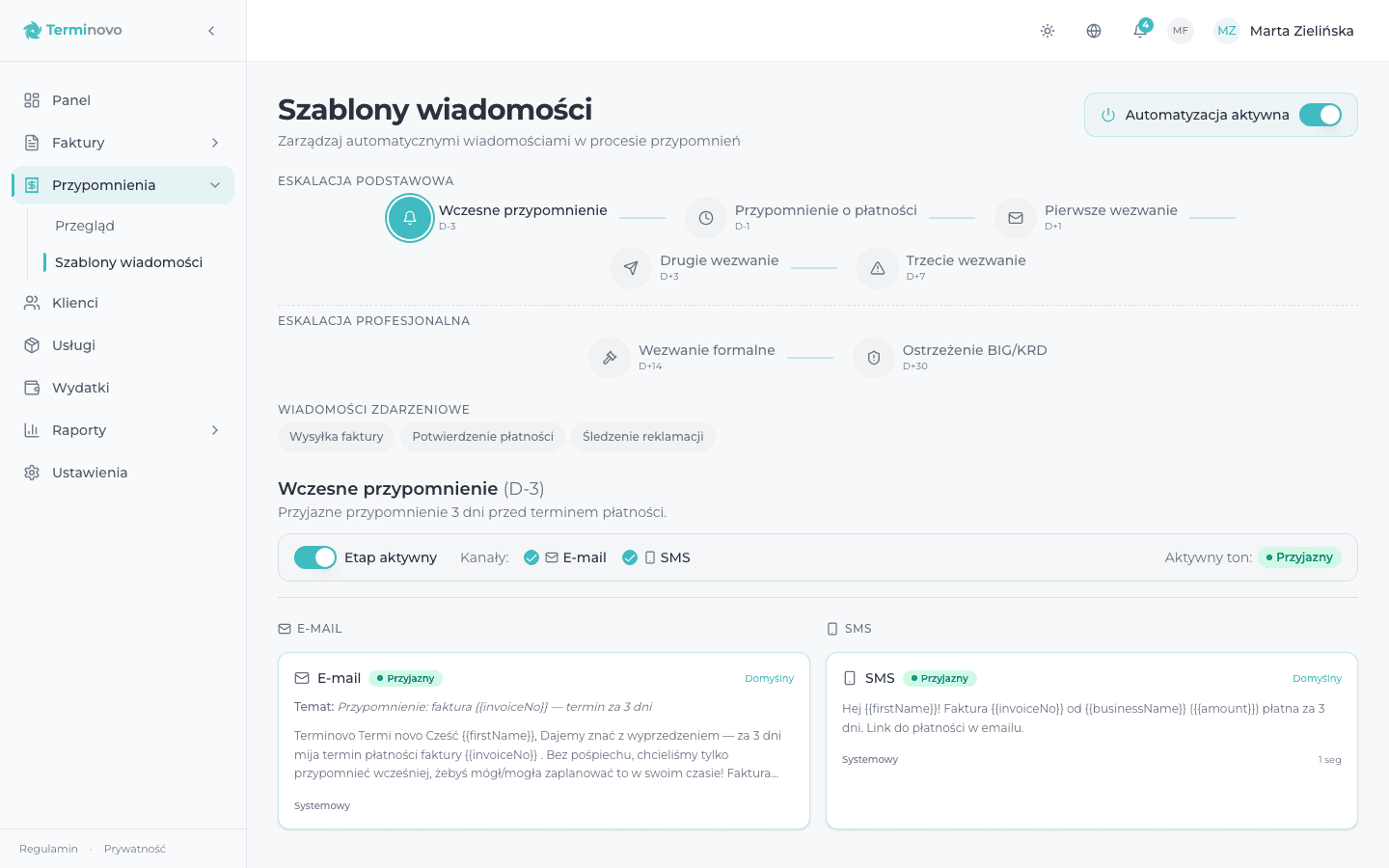
The system reminds — tactfully, with a payment link
Every reminder — email and SMS — contains a direct payment link. Clients pay via BLIK, card, or bank transfer without logging in or looking up account numbers. The system handles timing, tone, and escalation. You stay out of it.
- Escalating tone — Friendly → firm → formal, matched to how overdue the invoice is.
- 30-second payments — Client taps, enters a BLIK code, done.
- Quiet hours respected — Never at night — skipping weekends is optional.
See sample messages and the default schedule for automated payment reminders.
Step 3 · your call
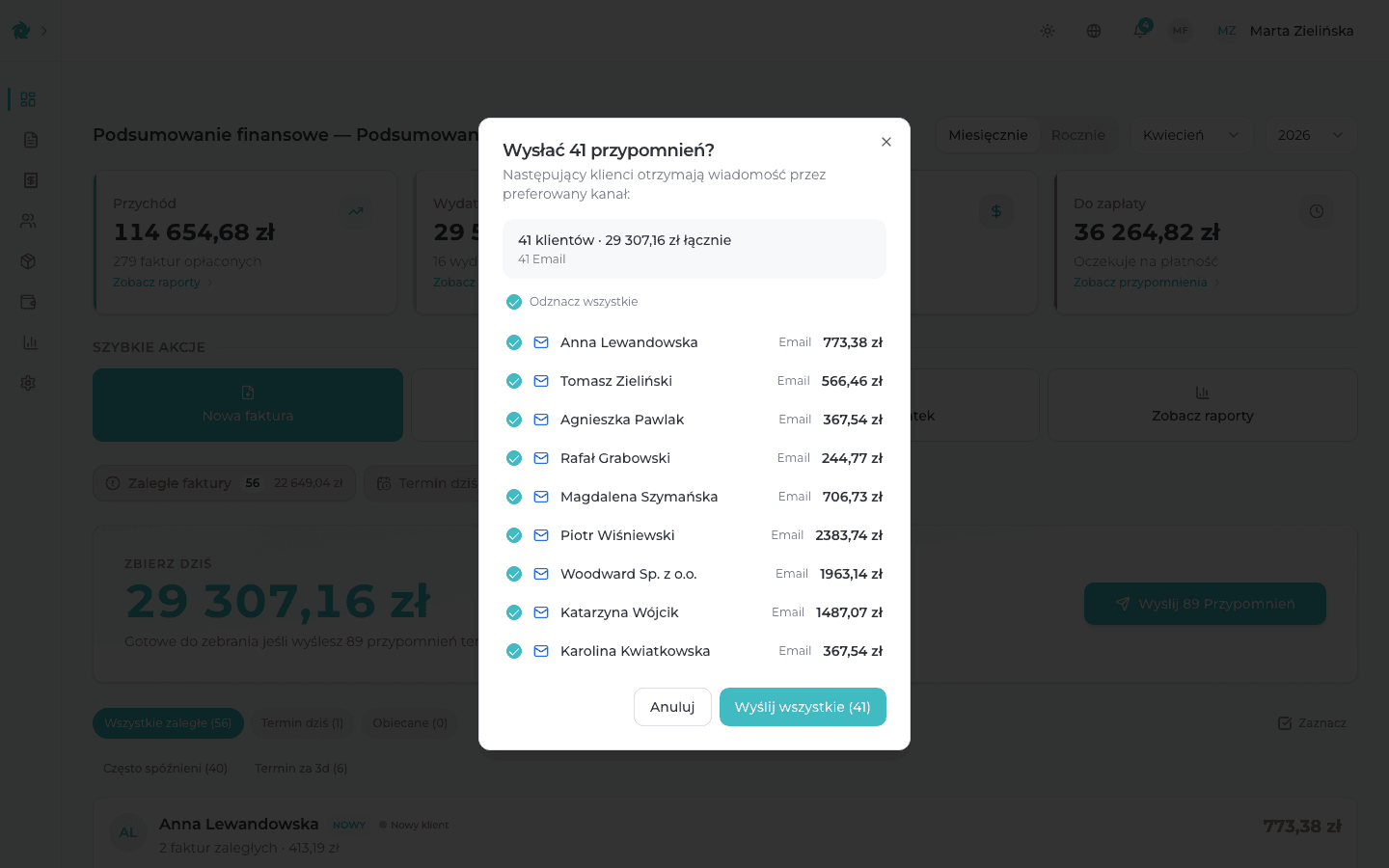
Full automation, or one click — you decide
By default, the system runs entirely on its own: reminders go out on schedule, invoice status updates after payment, and nothing needs your attention. If you prefer to review before sending, switch to preview mode.
- Full automation mode — Set the schedule once and step away.
- Daily preview mode — Approve each morning's batch with one click.
- Status updates itself — No cross-referencing your bank statement.
Step 4 · the payoff
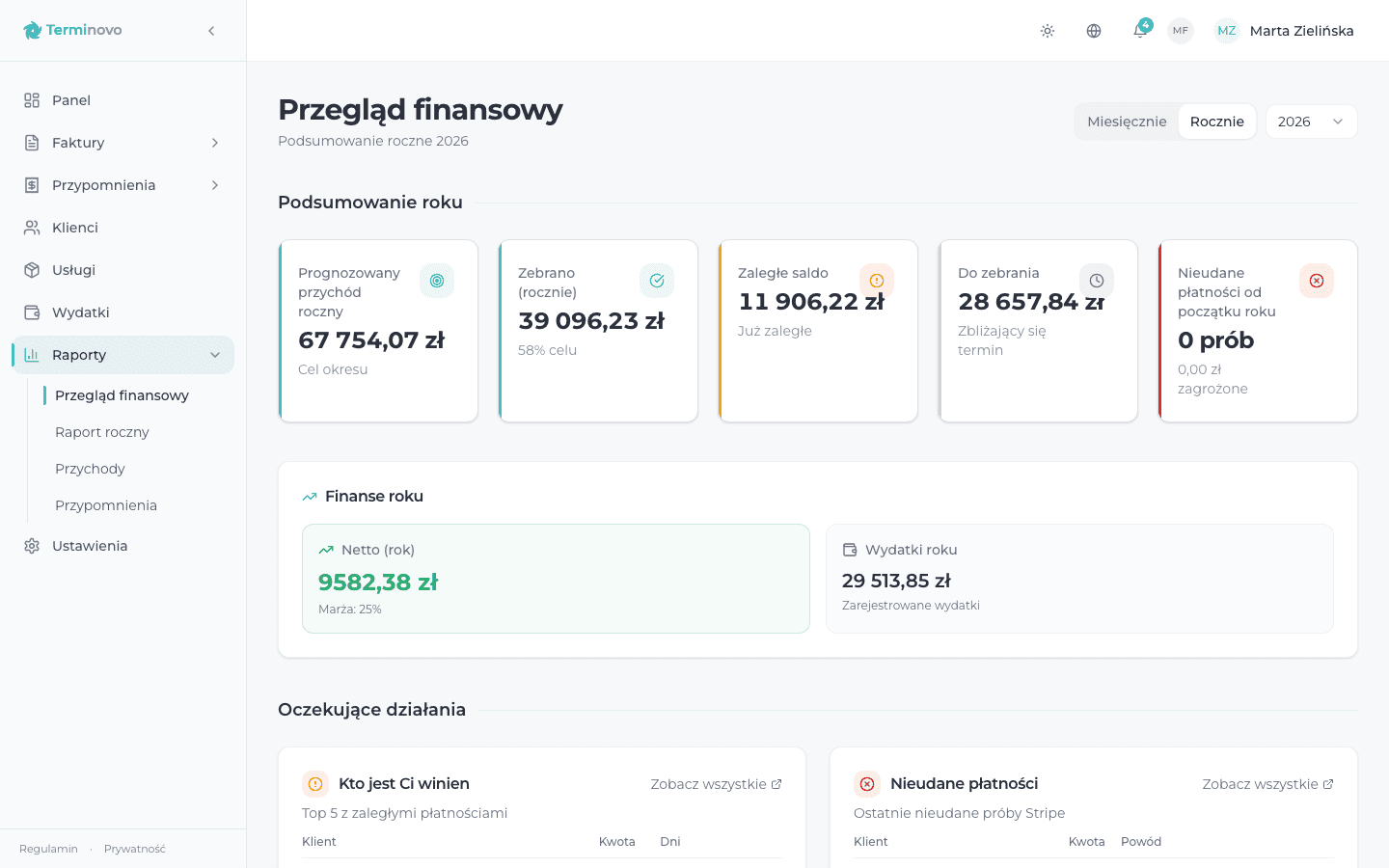
See exactly who paid — and what changed
Track amount recovered, email open rates, and your average days to payment. A full picture of every invoice on one screen — without making a single phone call.
- Recovery metrics — Amount recovered and email open rate, in real time.
- Average time to payment — Average days from invoice issue to payment.
- Client payment ranking — Who pays on time, who needs attention.
Tone escalation
How do payment reminders escalate?
The system adjusts message tone automatically — from a friendly nudge before the due date to a formal payment demand if the client goes quiet.
Before due date
Friendly reminder
A polite message sent before the payment deadline — via email and SMS. Every reminder includes a direct payment link so the client can pay via BLIK, card, or bank transfer in 30 seconds.
Past due
Firm follow-up
A clear, direct notice that the payment deadline has passed. Sent at tighter intervals with a more explicit call to action — still including the payment link so the client can settle immediately.
No response
Formal demand
An official payment demand with full invoice details and a note on potential consequences. The final automated step — and still includes a payment link, because the goal is always payment, not confrontation.
At every stage, the client can pay in one click via the payment link in the message. The system marks the invoice as paid automatically.
Frequently asked questions
How does the system know when to send a reminder?
Terminovo reads the payment due date directly from each invoice — whether that comes from KSeF or your uploaded invoice file. You set how many days before and after the due date reminders should go out, and the system runs the schedule for you automatically.
Can I change the reminder text?
Yes. Every message — email and SMS — has a default template you can edit freely. Write in your own style, add your company logo to emails, or set different wording for each escalation stage. The payment link is always included automatically.
What happens if a client still doesn't pay after all the reminders?
The system generates a formal payment demand with full invoice details that you can send by email or print. You will also have a complete documented communication history — every reminder sent, every email opened — which supports any further steps you choose to take.
Do I need to integrate with invoicing software?
No integration is required. If you issue KSeF invoices, Terminovo pulls them automatically from the KSeF platform. If you use another system, simply export your invoice list and upload it as a CSV or Excel file — a standard option in most Polish accounting tools.
Does my customer have to click a link every time to pay?
By default, yes — the customer pays with one click through a link in the message, choosing BLIK or card. For regular customers, you can go one step further and invite them to save a card once, through a secure Terminovo link — from then on, recurring invoices are paid automatically, and the customer gets a confirmation email with the invoice PDF. If the charge fails, the system automatically sends a payment link, and the usual polite reminders take over.
Ready to get paid without the phone calls?
Start free today — no credit card required. Connect your invoices and send your first reminder in under 5 minutes.